
AcikMutfak in ChatGPT
Your recipe box, inside ChatGPT.
Find recipes, turn a photo into a saved recipe and cook step by step without leaving the chat.
Set it up in a minute
- Open the app
Use the button above to open AcikMutfak in ChatGPT, then add it.
- Sign in
When ChatGPT asks, sign in with your AcikMutfak account. Creating one is free.
- Just ask
Try “Find a lentil soup on AcikMutfak” or send a photo of a recipe.
From photo to recipe
Send a photo or screenshot of a recipe. ChatGPT reads the ingredients and steps, you check anything unclear, and it saves the recipe to your private collection. The image itself is not stored.
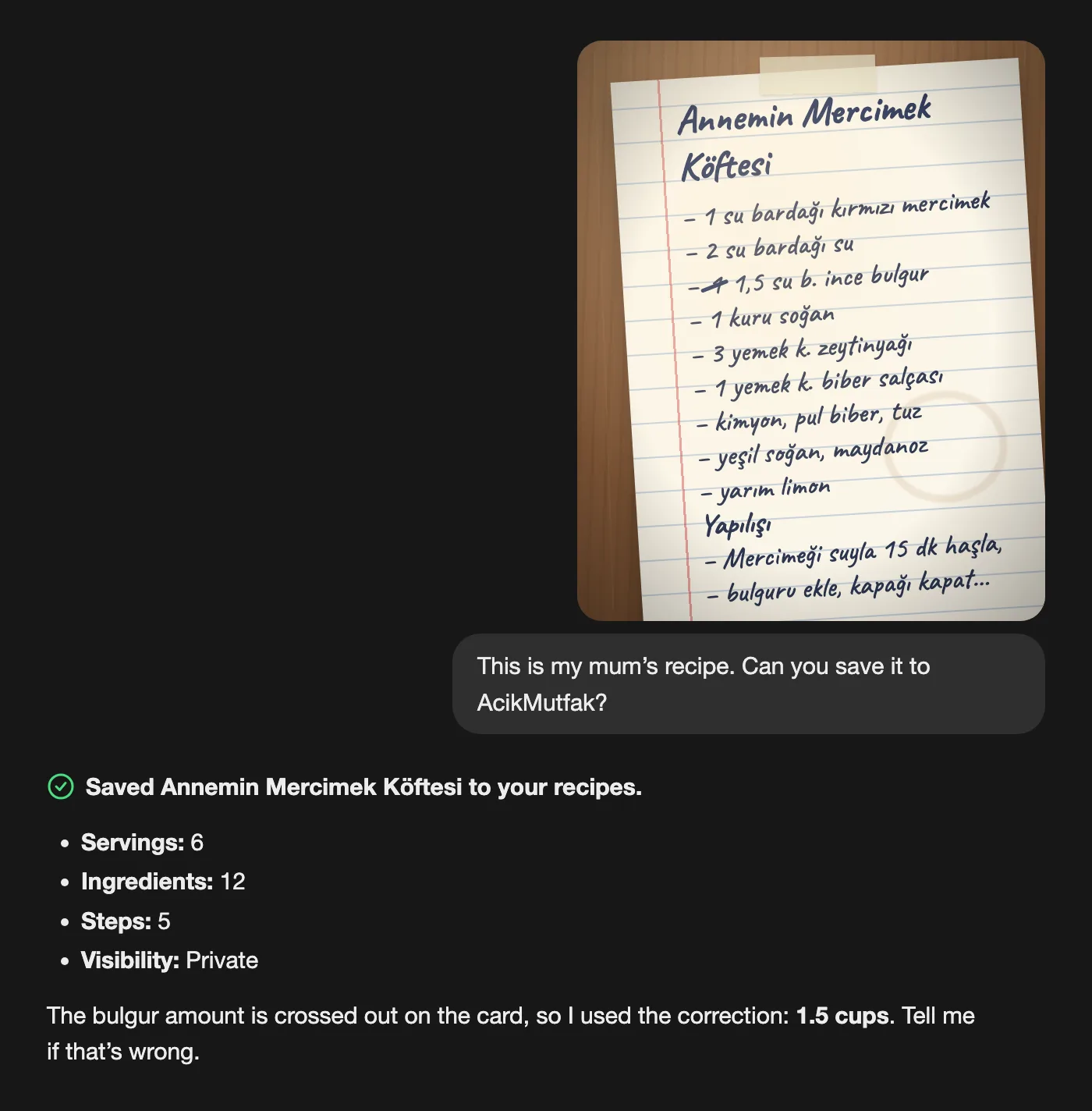
Cook step by step
Recipes open as a panel in the chat. Switch between the whole recipe and Cook mode, which shows one step at a time with its ingredients to tick off.
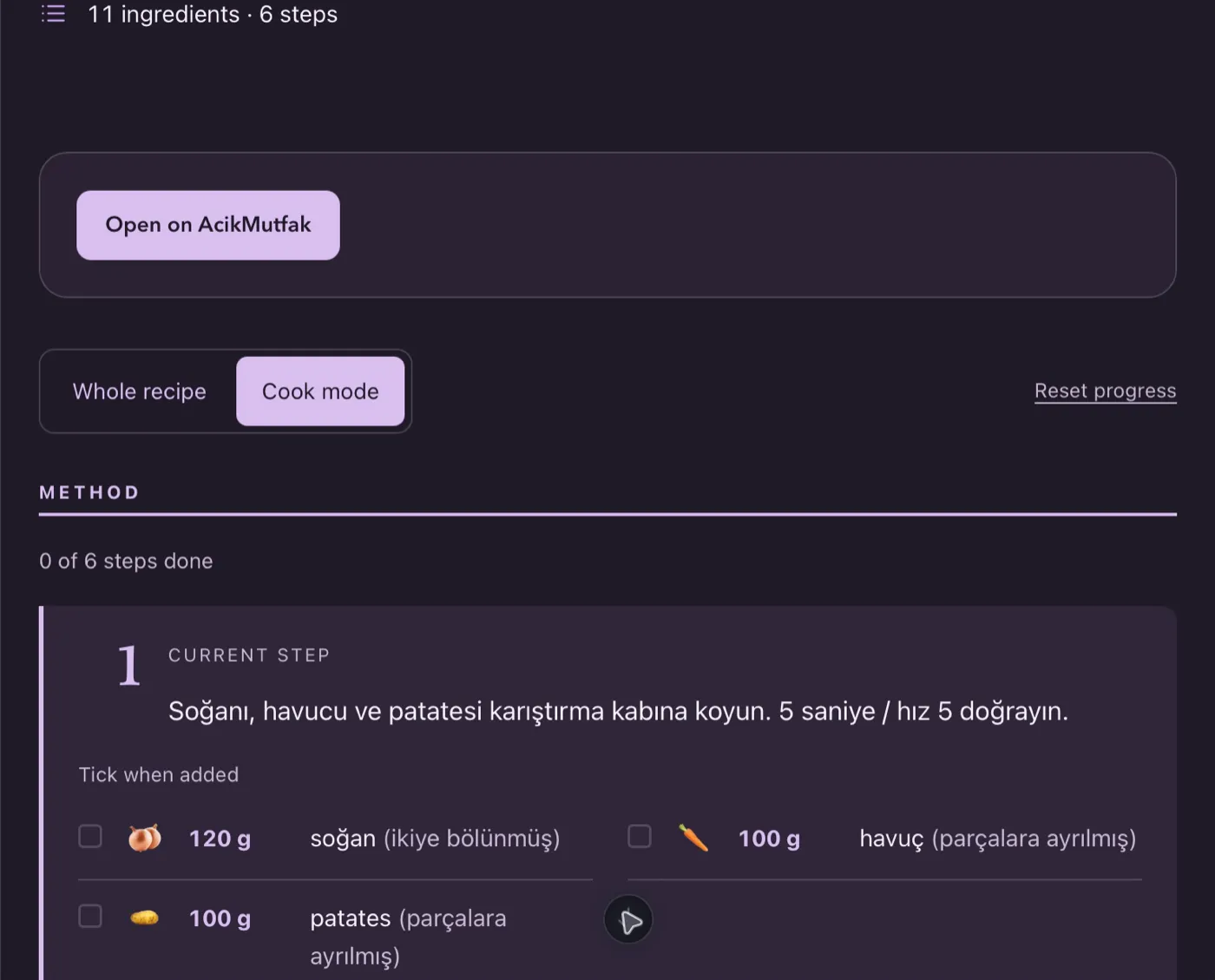
Change it by asking
Ask for four servings, a fixed step or a new title. Changes save to your account and show up on the website too.
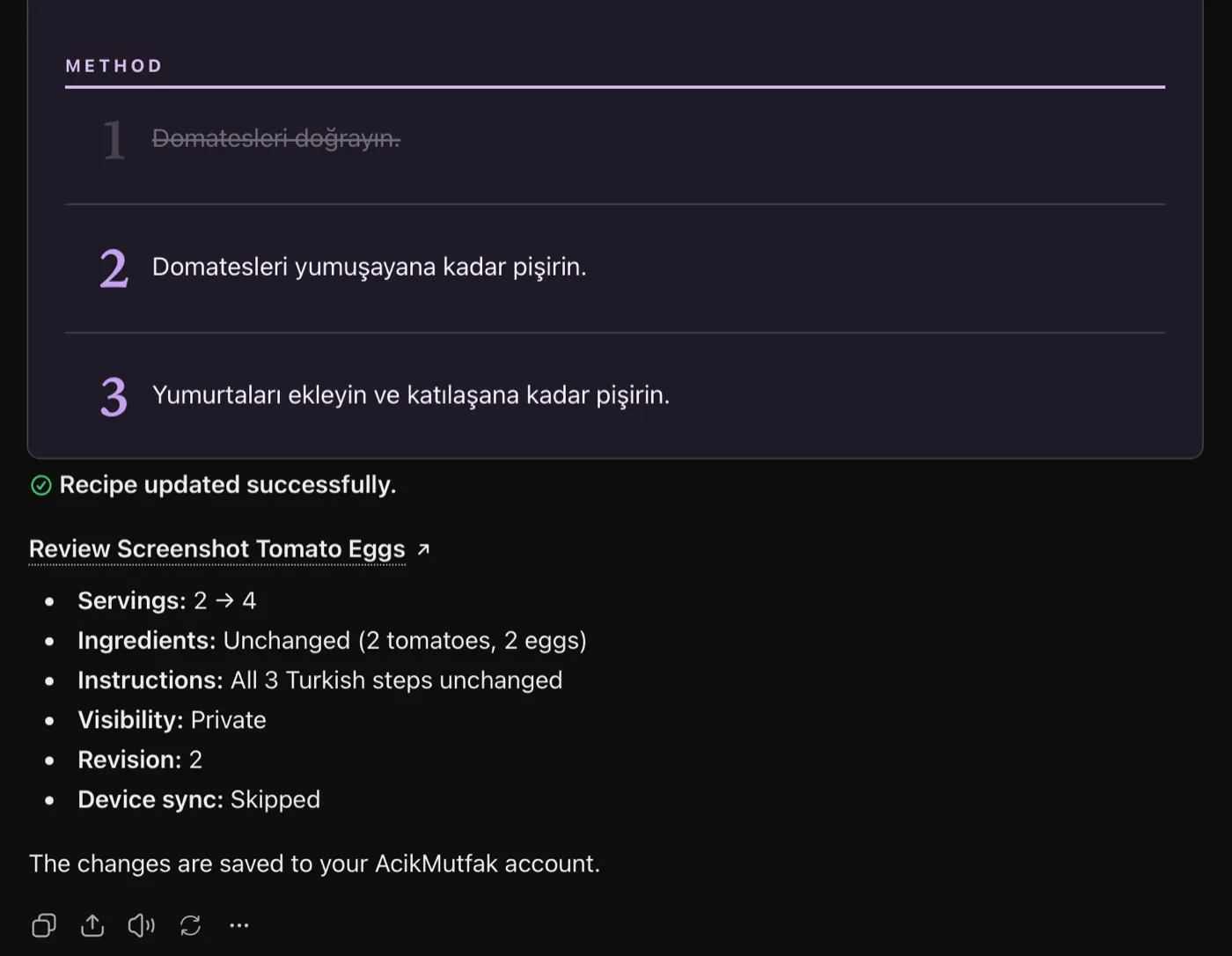
Also in the app
- Search community recipes by name or ingredient, no account needed
- Keep recipes private, or submit them for community sharing after review
- Send recipes to a connected cooking device, if you set one up on the website
Your recipes stay private until you choose to share them. Never type passwords in a chat. Privacy policy
AcikMutfak is an independent app by Bermuda LLC. ChatGPT is a trademark of OpenAI.